Michèle Srour Data Scientist
The Titanic Survival dataset
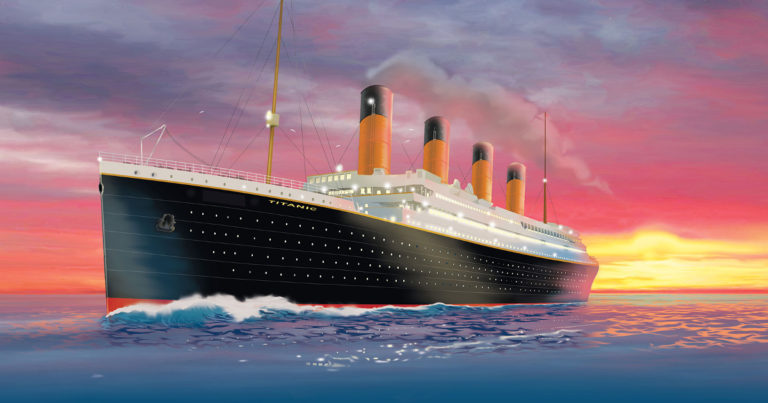
This post is part I of a walkthough of how I built and improved my submission to the Titanic Machine Learning competition on Kaggle. The goal of the competition is to create a machine learning model that predicts which passengers survived the Titanic shipwreck.
In this post and the next, I will walk through the process of creating a machine learning classification model using the Titanic dataset, which provides various information on the passengers of the Titanic and their survival.
Part I covers data exploration, cleansing and transformation. At the end of this post, we’ll have a set of features ready to be fed into our machine learning models.
The dataset can be found on Kaggle. It is split into two group, the training set (train.csv) and the test set (test.csv).
The training set, which is meant to be used to build machine learning models, comes with the outcome (survived or not) for each passenger. The test set has the same features as the training set, apart from the outcome.
Loading and exploring the data
import pandas as pd
import numpy as np

import seaborn as sns
import matplotlib.pyplot as plt
The output of the cell below shows the first few lines of our training set. The dataset contains the following variables :
- ‘PassengerId’- a unique identifier for each passenger
- ‘Pclass’ - the passenger’s class on the ship (1st, 2nd or 3rd)
- ‘Name’
- ‘Sex’
- ‘Age’
- ‘SibSp’ - total number of siblings and spouse(s?) on the ship
- ‘Parch’ - total number of parents and children on the ship
- ‘Ticket’ - the passenger’s ticket number
- ‘Fare’
- ‘Cabin’
- ‘Embarked’ - the port from which the passenger embarked (Cherbourg, Queenstown, Southampton)
as well as the outcome ‘Survived’.
train_data = pd.read_csv('train.csv')
train_data.head()
| PassengerId | Survived | Pclass | Name | Sex | Age | SibSp | Parch | Ticket | Fare | Cabin | Embarked | |
|---|---|---|---|---|---|---|---|---|---|---|---|---|
| 0 | 1 | 0 | 3 | Braund, Mr. Owen Harris | male | 22.0 | 1 | 0 | A/5 21171 | 7.2500 | NaN | S |
| 1 | 2 | 1 | 1 | Cumings, Mrs. John Bradley (Florence Briggs Th... | female | 38.0 | 1 | 0 | PC 17599 | 71.2833 | C85 | C |
| 2 | 3 | 1 | 3 | Heikkinen, Miss. Laina | female | 26.0 | 0 | 0 | STON/O2. 3101282 | 7.9250 | NaN | S |
| 3 | 4 | 1 | 1 | Futrelle, Mrs. Jacques Heath (Lily May Peel) | female | 35.0 | 1 | 0 | 113803 | 53.1000 | C123 | S |
| 4 | 5 | 0 | 3 | Allen, Mr. William Henry | male | 35.0 | 0 | 0 | 373450 | 8.0500 | NaN | S |
test_data = pd.read_csv('test.csv')
test_data.head()
| PassengerId | Pclass | Name | Sex | Age | SibSp | Parch | Ticket | Fare | Cabin | Embarked | |
|---|---|---|---|---|---|---|---|---|---|---|---|
| 0 | 892 | 3 | Kelly, Mr. James | male | 34.5 | 0 | 0 | 330911 | 7.8292 | NaN | Q |
| 1 | 893 | 3 | Wilkes, Mrs. James (Ellen Needs) | female | 47.0 | 1 | 0 | 363272 | 7.0000 | NaN | S |
| 2 | 894 | 2 | Myles, Mr. Thomas Francis | male | 62.0 | 0 | 0 | 240276 | 9.6875 | NaN | Q |
| 3 | 895 | 3 | Wirz, Mr. Albert | male | 27.0 | 0 | 0 | 315154 | 8.6625 | NaN | S |
| 4 | 896 | 3 | Hirvonen, Mrs. Alexander (Helga E Lindqvist) | female | 22.0 | 1 | 1 | 3101298 | 12.2875 | NaN | S |
Using panda’s describe function shows us that 38% of passengers in the training data survived the Titanic. We can also see that the passengers’ ages range from 0.4 to 80. We can see some features with missing data, such as “Age”, “Cabin” and “Embarked”.
train_data.describe(include = "all")
| PassengerId | Survived | Pclass | Name | Sex | Age | SibSp | Parch | Ticket | Fare | Cabin | Embarked | |
|---|---|---|---|---|---|---|---|---|---|---|---|---|
| count | 891.000000 | 891.000000 | 891.000000 | 891 | 891 | 714.000000 | 891.000000 | 891.000000 | 891 | 891.000000 | 204 | 889 |
| unique | NaN | NaN | NaN | 891 | 2 | NaN | NaN | NaN | 681 | NaN | 147 | 3 |
| top | NaN | NaN | NaN | Sadlier, Mr. Matthew | male | NaN | NaN | NaN | CA. 2343 | NaN | C23 C25 C27 | S |
| freq | NaN | NaN | NaN | 1 | 577 | NaN | NaN | NaN | 7 | NaN | 4 | 644 |
| mean | 446.000000 | 0.383838 | 2.308642 | NaN | NaN | 29.699118 | 0.523008 | 0.381594 | NaN | 32.204208 | NaN | NaN |
| std | 257.353842 | 0.486592 | 0.836071 | NaN | NaN | 14.526497 | 1.102743 | 0.806057 | NaN | 49.693429 | NaN | NaN |
| min | 1.000000 | 0.000000 | 1.000000 | NaN | NaN | 0.420000 | 0.000000 | 0.000000 | NaN | 0.000000 | NaN | NaN |
| 25% | 223.500000 | 0.000000 | 2.000000 | NaN | NaN | 20.125000 | 0.000000 | 0.000000 | NaN | 7.910400 | NaN | NaN |
| 50% | 446.000000 | 0.000000 | 3.000000 | NaN | NaN | 28.000000 | 0.000000 | 0.000000 | NaN | 14.454200 | NaN | NaN |
| 75% | 668.500000 | 1.000000 | 3.000000 | NaN | NaN | 38.000000 | 1.000000 | 0.000000 | NaN | 31.000000 | NaN | NaN |
| max | 891.000000 | 1.000000 | 3.000000 | NaN | NaN | 80.000000 | 8.000000 | 6.000000 | NaN | 512.329200 | NaN | NaN |
Exploring correlation between different features of our data set and “Survival”
In this section, we explore every feature in our training set and check whether it is correlated to survival. This will help us decide whether to use it as a feature in our machine learning model, and whether we need to transform it beforehand.
We will start exploring the gender and age features - it is common knowledge that women and children were evacuated first from the sinking ship.
Gender
The below bar plot shows that around 75% of women on board survived, whereas only 19% of men did! It looks like women had a lot more chance of surviving the shipwreck, so gender would be a helpful features to predict surival.
women = train_data[train_data['Sex'] == "female"]
perc_women_survived = round(women['Survived'].sum()/len(women)*100)

men = train_data[train_data['Sex'] == "male"]
perc_men_survived = round(men['Survived'].sum()/len(men)*100)

title = f"{perc_women_survived}% of women passengers survived, \nwhereas only {perc_men_survived}% of men did"

sns.set_palette('Pastel1')
sns.set_style('whitegrid')
sns.barplot(data = train_data, x = "Sex", y = "Survived")
plt.title(title)
plt.show()

Age
The figure below shows the spead of age for passengers who survived and those who did not, for both men and women. We can see that the spread is quite different for men and women. Also, it looks like there are more children in the group who survived, and more older people in the group who did not survive.
ax = sns.violinplot(data = train_data, y = "Survived", x = "Age", hue = "Sex", orient= "h", split = True)

Passenger class
If you’ve seen the Titanic movie, you know that socioeconomic status played a role in deciding which passengers were given the priority to evacuate the ship. Survival was not only based on gender or age but also class as can be seen on the bar plot below: more than 60% of first class passngers survived the shipwreck, and no more than 25% of third class passengers did.
ax = sns.barplot(data = train_data, x = "Pclass", y = "Survived")

Fare
The price a passenger paid for their ticket is also an indicator of their socioeconomic status. The violin plot below shows that more people paid a higher rate for their ticket in the group who survived. Most fare amounts are on the lower side of the x axis, this is probably due to a small number of outliers.
plt.figure(figsize = (10, 6))
ax = sns.violinplot(data = train_data, y = "Survived", x = "Fare", orient= "h")

Relatives
The dataset provides information on the number of siblings, spouses, children and parents accompanying each passenger. Let us explore whether the number of relatives a passenger had on board affected their chance of survival. The bar plot shows that passengers accompanied by up to 3 relatives had a higher chance of survival than passengers travelling alone. The chance of survival decreases beyond this point.
relatives = train_data["SibSp"] + train_data["Parch"]

plt.figure(figsize = (12, 6))
ax = sns.barplot(x= relatives, y = train_data["Survived"])
plt.xlabel("Number of relatives")
Text(0.5, 0, 'Number of relatives')

Port of embarkation
One of the variables provided in the dataset in the port of embarkation “Embarked”, which takes one of three values: Cherbourg, Queenstown or Southampton. It looks like passengers who embarked from Cherbourg had a higher rate of survivals.
ax = sns.barplot(data = train_data, x = "Embarked", y = "Survived")

So far, we’ve explored all variables aside from PassengerId, Name, Ticket, and Cabin.
- PassengerId is unique to each passenger and won’t be of much use for our predictions.
- Name is also unique to each passenger, however, it also contains the person’s title, which could be correlated to the survival. We will later explore this information.
- Ticket
- Cabin field has lots of missing data, however, the cabin number looks like it has the deck information.
Filling out missing data
Let’s have a look at the missing data in each of the data sets. It looks like the “Cabin” variable has a huge number of missing entries in both datasets. “Age” comes next with quite a few missing values. We also have a couple of missing values for “Embarked” and “Fare”.
In this section we are going to deal with the missing data, discard the data we don’t need, and fill out the missing values with sensible data where relevant.
We are going to create an array containing both data sets, training and test, so we can perform the same operations on both.
pd.concat([train_data.isnull().sum(), test_data.isnull().sum()], axis=1).rename(columns = {0 : "Train_data", 1: "Test_data"})
| Train_data | Test_data | |
|---|---|---|
| PassengerId | 0 | 0.0 |
| Survived | 0 | NaN |
| Pclass | 0 | 0.0 |
| Name | 0 | 0.0 |
| Sex | 0 | 0.0 |
| Age | 177 | 86.0 |
| SibSp | 0 | 0.0 |
| Parch | 0 | 0.0 |
| Ticket | 0 | 0.0 |
| Fare | 0 | 1.0 |
| Cabin | 687 | 327.0 |
| Embarked | 2 | 0.0 |
combined_data = [train_data, test_data]
Age
Let’s start with age. We are going to compute the mean age for every gender and class combination, and use these values to fill out missing “Age” data - this will be stored in a new column “Age_full”.
for data_set in combined_data:
    mean_age_age_class = data_set.groupby(["Sex", "Pclass"])["Age"].mean()

    data_set['Age_full'] = data_set.apply(lambda row : row['Age'] if not pd.isnull(row["Age"]) else
                                        mean_age_age_class[row['Sex']][row['Pclass']] , axis = 1)
    data_set.drop(['Age'], axis = 1)

train_data.head(10)
| PassengerId | Survived | Pclass | Name | Sex | Age | SibSp | Parch | Ticket | Fare | Cabin | Embarked | Age_full | |
|---|---|---|---|---|---|---|---|---|---|---|---|---|---|
| 0 | 1 | 0 | 3 | Braund, Mr. Owen Harris | male | 22.0 | 1 | 0 | A/5 21171 | 7.2500 | NaN | S | 22.000000 |
| 1 | 2 | 1 | 1 | Cumings, Mrs. John Bradley (Florence Briggs Th... | female | 38.0 | 1 | 0 | PC 17599 | 71.2833 | C85 | C | 38.000000 |
| 2 | 3 | 1 | 3 | Heikkinen, Miss. Laina | female | 26.0 | 0 | 0 | STON/O2. 3101282 | 7.9250 | NaN | S | 26.000000 |
| 3 | 4 | 1 | 1 | Futrelle, Mrs. Jacques Heath (Lily May Peel) | female | 35.0 | 1 | 0 | 113803 | 53.1000 | C123 | S | 35.000000 |
| 4 | 5 | 0 | 3 | Allen, Mr. William Henry | male | 35.0 | 0 | 0 | 373450 | 8.0500 | NaN | S | 35.000000 |
| 5 | 6 | 0 | 3 | Moran, Mr. James | male | NaN | 0 | 0 | 330877 | 8.4583 | NaN | Q | 26.507589 |
| 6 | 7 | 0 | 1 | McCarthy, Mr. Timothy J | male | 54.0 | 0 | 0 | 17463 | 51.8625 | E46 | S | 54.000000 |
| 7 | 8 | 0 | 3 | Palsson, Master. Gosta Leonard | male | 2.0 | 3 | 1 | 349909 | 21.0750 | NaN | S | 2.000000 |
| 8 | 9 | 1 | 3 | Johnson, Mrs. Oscar W (Elisabeth Vilhelmina Berg) | female | 27.0 | 0 | 2 | 347742 | 11.1333 | NaN | S | 27.000000 |
| 9 | 10 | 1 | 2 | Nasser, Mrs. Nicholas (Adele Achem) | female | 14.0 | 1 | 0 | 237736 | 30.0708 | NaN | C | 14.000000 |
Port of embarkation
We have a couple missing “Embarked” values in the training set. We are going to fill them out with the most common value, which happens to be “S” for Southampton.
for data_set in combined_data:
   embarked_mode = data_set['Embarked'].mode()
   data_set['Embarked'] = data_set['Embarked'].fillna(embarked_mode[0])
Fare
We have one missing “Fare” value in the test set for a third class passenger who embarked at Southampton, which we are going to replace with the average fare for third class passengers who embarked there in the test set.
mean_fare_port_class = test_data.groupby(["Embarked", "Pclass"])["Fare"].mean()

test_data['Fare'] = test_data['Fare'].fillna(mean_fare_port_class["S"][3])
Cabin
As mentioned above, the “Cabin” variable has tons of missing values. We could completely drop this feature, however, it looks like cabin numbers have a letter which could be the deck number, or particular sections of the ship. Let’s extract this info and store it in a new “Deck” variable.
deck = {"A": 1, "B": 2, "C": 3, "D": 4, "E": 5, "F": 6, "G": 7, "U": 8, "T": 9}

for data_set in combined_data:
    data_set['Cabin'] = data_set['Cabin'].fillna("U0")
    data_set['Deck'] = data_set['Cabin'].apply(lambda x: x[0])

    data_set['Deck'] = data_set['Deck'].map(deck)
    data_set['Deck'] = data_set['Deck'].astype(int)
Transforming variables
Now that we are done dealing with missing data, we have 2 new columns: “Age_full” which replaces “Age”, and “Deck” that we’ve extracted from the “Cabin” data.
In the following section, we are going to transform the features we are using for our model into integer variables to feed into our models.
Numerical variables such as “Age” and “Fare” will be transformed into categorical variables by splitting the data in groups/intervals. We will then transform all our categorical variables into integer variables.
Age
Let’s start by splitting passengers into age groups and see the survival rate of different age groups. It looks like children (0-18) is the age group with the highest survival rate, whereas 70+ year olds have a survival rate around 15%.
for data_set in combined_data:
    data_set['Age_group'] = data_set['Age_full'].map(lambda x: 0 if (x >= 0) & (x < 18) else
                                                 (1 if (x >= 18) & (x < 30) else (
                                                  2 if (x >= 30) & (x < 40) else (
                                                  3 if (x >= 40) & (x < 50) else (
                                                  4 if (x >= 50) & (x < 60) else (
                                                  5 if (x >= 60) & (x < 70) else (
                                                  6 if x >= 70 else "NaN")))))))
df = pd.DataFrame((train_data.groupby(["Age_group"])["Survived"].sum())*100/(train_data.groupby(["Age_group"])["Survived"].count()))

df['Not Survived'] = df["Survived"].apply(lambda x : 100 - x)

ax = plt.subplot()
plt.bar(range(len(df)), df["Survived"], label = "Survived")
plt.bar(range(len(df)), df["Not Survived"], bottom = df["Survived"], label = "Not Survived", alpha = 0.3)
plt.legend()
ax.set_xticks(range(0, 7))
ax.set_xticklabels(['0-18', '18-30', '30-40', '40-50', '50-60', '60-70', '70+'])
ax.set_yticks(range(0, 105, 10))
ax.set_yticklabels(str(x) + "%" for x in range(0, 105, 10))
plt.title('Percentage of survival in each age group')
plt.xlabel('Age groups')
plt.show()

Rate
We will now create a categorical variable out of the “Rate” variable. Using Pandas qcut, we’ll split rate values into 4 rate categories, each corresponding to a quartile of the variable.
The bar plot shows that the higher the rate category (and hence the rate), the higher the survival rate.
fare_labels = [0, 1, 2, 3]

for data_set in combined_data:
    data_set['Fare_cat'] = pd.qcut(data_set['Fare'], 4, fare_labels)
    data_set['Fare_cat'] = data_set['Fare_cat'].astype(int)

train_data.head()
| PassengerId | Survived | Pclass | Name | Sex | Age | SibSp | Parch | Ticket | Fare | Cabin | Embarked | Age_full | Deck | Age_group | Fare_cat | |
|---|---|---|---|---|---|---|---|---|---|---|---|---|---|---|---|---|
| 0 | 1 | 0 | 3 | Braund, Mr. Owen Harris | male | 22.0 | 1 | 0 | A/5 21171 | 7.2500 | U0 | S | 22.0 | 8 | 1 | 0 |
| 1 | 2 | 1 | 1 | Cumings, Mrs. John Bradley (Florence Briggs Th... | female | 38.0 | 1 | 0 | PC 17599 | 71.2833 | C85 | C | 38.0 | 3 | 2 | 3 |
| 2 | 3 | 1 | 3 | Heikkinen, Miss. Laina | female | 26.0 | 0 | 0 | STON/O2. 3101282 | 7.9250 | U0 | S | 26.0 | 8 | 1 | 1 |
| 3 | 4 | 1 | 1 | Futrelle, Mrs. Jacques Heath (Lily May Peel) | female | 35.0 | 1 | 0 | 113803 | 53.1000 | C123 | S | 35.0 | 3 | 2 | 3 |
| 4 | 5 | 0 | 3 | Allen, Mr. William Henry | male | 35.0 | 0 | 0 | 373450 | 8.0500 | U0 | S | 35.0 | 8 | 2 | 1 |
df = pd.DataFrame((train_data.groupby(["Fare_cat"])["Survived"].sum())*100/(train_data.groupby(["Fare_cat"])["Survived"].count()))

df['Not Survived'] = df["Survived"].apply(lambda x : 100 - x)

ax = plt.subplot()
plt.bar(range(len(df)), df["Survived"], label = "Survived")
plt.bar(range(len(df)), df["Not Survived"], bottom = df["Survived"], label = "Not Survived", alpha = 0.3)
plt.legend()
ax.set_xticks(range(0, 4))
ax.set_xticklabels(['Cat1', 'Cat2', 'Cat3', 'Cat4'])
ax.set_yticks(range(0, 105, 10))
ax.set_yticklabels(str(x) + "%" for x in range(0, 105, 10))
plt.title('Percentage of survival in each fare category')
plt.xlabel('Fare categories')
plt.show()

Names and titles
We have not explored yet the “Name” feature. As mentioned earlier, a passenger’s name is a unique value for each passenger and is hence not likely to give any indications about their survival. However, if we look closer, this variable also holds the passenger’s title.
The value counts of the extracted titles show that the most common titles are “Mr”, “Miss”, “Mrs” and Master”. Other titles are quite rare and will be all grouped under one fifth category.
for data_set in combined_data:
    data_set['Title'] = data_set['Name'].str.extract(' ([A-Za-z]+)\.')

df = pd.concat([train_data, test_data])

pd.DataFrame(df['Title'].value_counts()).reset_index()
| index | Title | |
|---|---|---|
| 0 | Mr | 757 |
| 1 | Miss | 260 |
| 2 | Mrs | 197 |
| 3 | Master | 61 |
| 4 | Rev | 8 |
| 5 | Dr | 8 |
| 6 | Col | 4 |
| 7 | Ms | 2 |
| 8 | Major | 2 |
| 9 | Mlle | 2 |
| 10 | Jonkheer | 1 |
| 11 | Countess | 1 |
| 12 | Dona | 1 |
| 13 | Capt | 1 |
| 14 | Don | 1 |
| 15 | Sir | 1 |
| 16 | Lady | 1 |
| 17 | Mme | 1 |
titles = {"Mr": 1, "Miss": 2, "Mrs": 3, "Master": 4, "Rare": 5}


for data_set in combined_data:
    data_set['Title'] = data_set['Title'].replace(['Lady', 'Countess','Capt', 'Col','Don', 'Dr','Major', 'Rev', 'Sir', 'Dona', 'Jonkheer'], 'Rare')
    data_set['Title'] = data_set['Title'].replace(['Mlle', 'Ms'], 'Miss')
    data_set['Title'] = data_set['Title'].replace('Mme', 'Mrs')

    data_set['Title'] = data_set['Title'].map(titles)

    data_set['Title'] = data_set['Title'].fillna(0)
    data_set['Title'] = data_set['Title'].astype(int)

    data_set = data_set.drop(['Name'], axis=1)
Relatives, gender and ports of embarkation
In the below we create a new column “Relatives” which represents the total number of siblings, spouses, parents and children accompagniying a passenger, as well as a variable “Alone” which has either a value of 1 if the passenger had no relatives accompagnying them, or 0 if they did. We also map string values in columns “Sex” and “Embarked” to numerical values.
for data_set in combined_data:
    data_set['Relatives'] = data_set['SibSp'] + data_set['Parch']
    data_set['Alone'] = data_set['Relatives'].apply(lambda x : 1 if x == 0 else 0)
gender = {'female' : 1, 'male': 0}

for data_set in combined_data:
    data_set['Sex'] = data_set['Sex'].map(gender)
ports = {'S' : 0, 'C': 1, 'Q' : 2}

for data_set in combined_data:
    data_set['Embarked'] = data_set['Embarked'].map(ports)
    data_set['Embarked'] = data_set['Embarked'].astype(int)

train_data.head()
| PassengerId | Survived | Pclass | Name | Sex | Age | SibSp | Parch | Ticket | Fare | Cabin | Embarked | Age_full | Deck | Age_group | Fare_cat | Title | Relatives | Alone | |
|---|---|---|---|---|---|---|---|---|---|---|---|---|---|---|---|---|---|---|---|
| 0 | 1 | 0 | 3 | Braund, Mr. Owen Harris | 0 | 22.0 | 1 | 0 | A/5 21171 | 7.2500 | U0 | 0 | 22.0 | 8 | 1 | 0 | 1 | 1 | 0 |
| 1 | 2 | 1 | 1 | Cumings, Mrs. John Bradley (Florence Briggs Th... | 1 | 38.0 | 1 | 0 | PC 17599 | 71.2833 | C85 | 1 | 38.0 | 3 | 2 | 3 | 3 | 1 | 0 |
| 2 | 3 | 1 | 3 | Heikkinen, Miss. Laina | 1 | 26.0 | 0 | 0 | STON/O2. 3101282 | 7.9250 | U0 | 0 | 26.0 | 8 | 1 | 1 | 2 | 0 | 1 |
| 3 | 4 | 1 | 1 | Futrelle, Mrs. Jacques Heath (Lily May Peel) | 1 | 35.0 | 1 | 0 | 113803 | 53.1000 | C123 | 0 | 35.0 | 3 | 2 | 3 | 3 | 1 | 0 |
| 4 | 5 | 0 | 3 | Allen, Mr. William Henry | 0 | 35.0 | 0 | 0 | 373450 | 8.0500 | U0 | 0 | 35.0 | 8 | 2 | 1 | 1 | 0 | 1 |
We are now ready to build our models using the following features which all have integer values ‘Sex’, ‘Title’, ‘Age_group’, ‘Fare_cat’, ‘Pclass’, ‘Embarked’, ‘Deck’, ‘SibSp’, ‘Parch’, ‘Relatives’ and ‘Alone’. Stay tuned for part II of the Legendary Titanic where we’ll built different models and create a submission.
Written on March 5th, 2021